System Entity Fields
This section provides description of Druid system entity fields that are automatically filled in on entity / entity field creation and edit. These fields are used in Druid Data Service integrations and Workspaces. For entities created in Druid versions prior to 5.4, these fields appear after you upgrade the entity.
|
Druid System Field |
Field Type |
Description |
|---|---|---|
|
Id |
String |
An unique identifier of the entity / entity record. If you want to receive the Id value of type Integer or GUID, create another field to store the Id value. |
|
CreatedByUserId |
GUID |
The Id of the user who created the entity / entity field. |
|
CreatedOn |
DateTime |
The Date and time when the entity record was created. |
|
ModifiedByUserId |
GUID |
The Id of the user who last modified the entity record. |
|
ModifiedOn |
DateTime |
The Date and time when the entity /entity record was last modified. |
| Name | String |
An entity / entity record has an unique Id and a Name. For example, a record of entity [[Employee]] has:
|
|
OperatedByBotId |
String |
The Id of the last AI Agent that operated the entity record. |
| PageInto | Entity |
This field references the system entity [[PageInfo]] that stores client-side page information from web views. For more information, see System Entities, entity [[Page.Info]]. |
For backwards compatibility, you can upgrade entities created in Druid version prior 5.4 by following these steps:
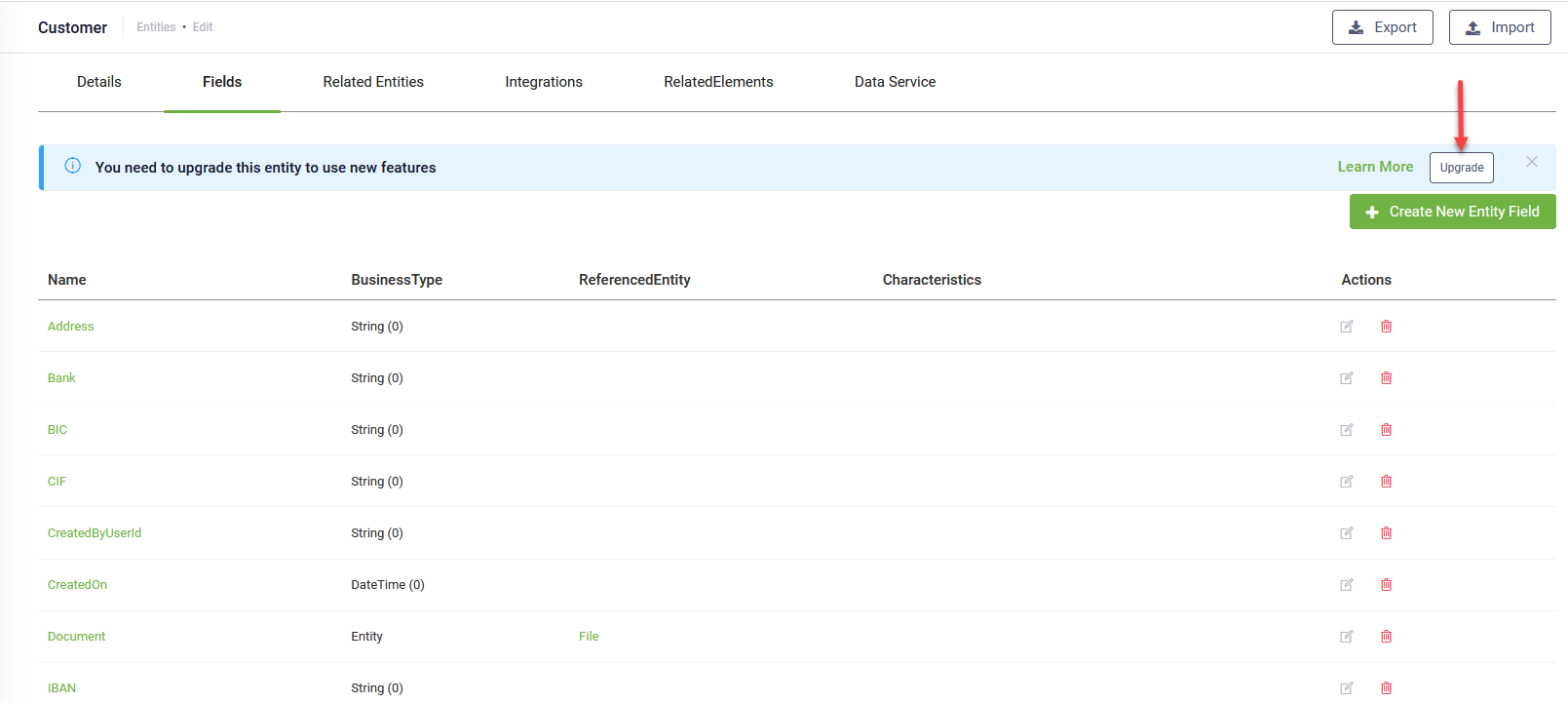
- Navigate to the desired entity and select the Fields tab. A notification appears at the top of the page.
- Click on the Upgrade button displayed within the notification.
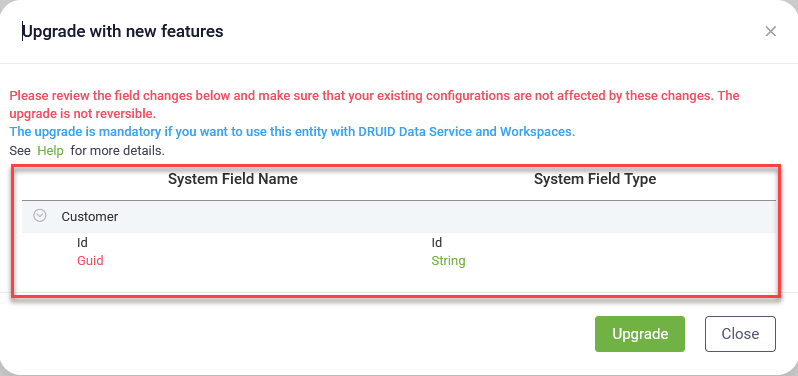
- Once you have reviewed the implications and are ready to proceed, click the Upgrade button to complete the process.
A pop-up appears, listing all new system entity fields relevant to the current entity.